
Anime Fighters Controls and HUD
Roblox movement plus on-screen buttons. Codes are the Twitter bird. YouTube verify is the gift. Worlds are the Teleport Beam.
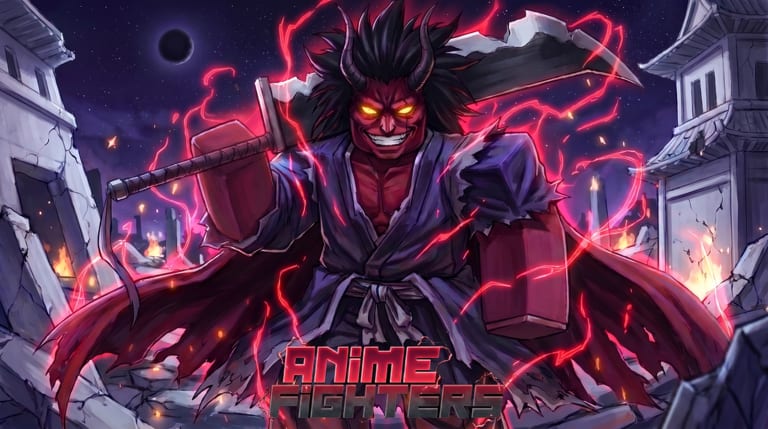
Anime Fighters does not play like a fighting game. You are not learning a 20-hit combo. You are learning which HUD button is Stars, which is codes, and which teleports you to Ninja Village. This page is the button map. It does not invent keyboard binds the game never showed.
Movement, jump, and camera are default Roblox. On PC that means the usual WASD-style move and a mouse camera. On mobile that means the on-screen stick and camera swipe. Combat is the equipped team auto-fighting. Your job is to stand in the right world and press the right menu.
If you just spawned, read this once, then go back to Getting Started. If a menu is missing, you are almost always on the wrong icon, not on the wrong key.
Buttons that actually matter
The HUD sits around the screen. Exact layout shifts with device and patch, but the jobs stay stable:
- Stars — opens the gacha for the world you are standing on. This is how you summon fighters. Use it after you can farm, as explained in How to Summon Fighters.
- Inventory / fighters — equip the team that auto-attacks. Unequipped keepers do not kill. Junk left equipped is a DPS loss.
- Twitter icon — the codes box. Not a social feed. Paste strings from the codes list and confirm. This is the first button a new account should tap.
- Teleport Beam — world travel and world purchases. Yen doors live here. Optional Teleport gamepass only skips walking between islands you already own. See Worlds and Progression.
- Gift icon — YouTube verify, not codes. Use this when you have a qualifying subscription to claim the verify reward. It will not redeem UPDATE102.
Machines in the world (Infuser, Limit Break, demonic machine, artifact crafts) use a proximity prompt when you walk up to them. On PC that is the default interact prompt. On mobile it is an on-screen Use button. Walk closer if nothing appears. You do not need a custom hotkey.
Mobile versus PC
Mobile HUD is larger. That is a feature. Stars, codes, and teleport still live on the same icons; they are just easier to hit with a thumb. AFK Yen farms work on mobile if the team already clears. Leave the client open, keep the screen awake, and do not overlay a second app that suspends Roblox.
PC uses the mouse to click the same buttons. Keyboard movement does not open Stars. If someone in a 12-player server tells you to bind a farm key, they are mixing this game up with a trainer. Anime Fighters is menus plus an auto-fighting team.
Console players get the same HUD philosophy: highlight the button, confirm, back out. There is no hidden radial that prints Secrets.
If the HUD feels cramped, check Roblox’s own UI scale / camera settings rather than hunting a secret Anime Fighters option. This wiki will not list a key we have not seen in the client.
Codes, gifts, and why people tap the wrong one
Codes are the Twitter bird. YouTube verify is the gift. Inventory is not codes. Stars are not codes. If a string from the codes list fails, you typed it in the gift box or you typed an expired code. Try the bird first.
YouTube verify is optional. It does not replace a farm. Claim it, then ignore the gift icon until another verify event ships on updates.
Do not paste codes in chat. Chat is other players on a 12-person server. The redeem box is a UI panel.
Combat HUD and quality-of-life toggles
Look in settings for team send / auto-attack style toggles. Names change with patches, but the idea is stable: the team should attack without you clicking every enemy. If kills only happen when you tap a mob, you have a toggle off or you equipped an empty team.
Boost icons (luck, drop, Yen, shiny) appear when a boost is active. Pop Yen boosts on a farm world, luck boosts on a max-open. The HUD will not stop you from wasting them on Super Island sightseeing.
Artifact slots, passives, and Requiem screens are later menus. You do not need them to buy Ninja Village. When you do need them, they still open from on-screen buttons or from walking up to a machine, not from a secret F-key.
If something is missing
- Cannot find codes: you want the Twitter icon, not the gift.
- Cannot change worlds: walk to the Teleport Beam and confirm you can afford the door.
- Cannot summon: you are not standing near that world’s Star, or you are out of Yen.
- Cannot Infuse: you are not on Magic Continent. The Infuser is not in the Super Island HUD. See Infuse and Limit Break.
- Team not attacking: open inventory and equip fighters. Auto-combat needs a roster.
- Buttons covered: rotate the camera, close a shop panel, or check that another UI (trade, gift, Star result) is still open.
Anime Fighters is a menu game wearing an action skin. Learn five icons and the rest of the wiki makes sense. You do not need a spreadsheet of keybinds. You need to tap Stars on the island you farm, codes on the bird, worlds on the Beam, and verify on the gift — then go back to killing.
Frequently Asked Questions
Quick answers for Anime Fighters players.
What are the keyboard controls for Anime Fighters?
Movement is default Roblox. Stars, codes, inventory, and teleport are on-screen buttons. This wiki does not list farm keybinds the client does not show.
Where do I redeem codes?
Tap the Twitter icon, paste the string, and confirm. The gift icon is YouTube verify, not the codes box. Live strings are on Codes.
How do I change worlds?
Use the Teleport Beam and pay Yen for doors you do not own. The Teleport gamepass is optional travel between owned islands. Map costs are on Worlds and Progression.
Does mobile use a different HUD?
Same buttons, larger HUD. AFK farms work on mobile if the team already clears and the Roblox client stays open.
How do I open Stars or inventory?
Use the on-screen Stars and inventory buttons. Stars roll the pool for the island you are standing on. Inventory is where you equip the auto-fight team.
Why will my fighters not attack?
Equip a team in inventory and stand near enemies. Combat is auto-fight, not a combo. If the roster is empty, the HUD has nothing to send.